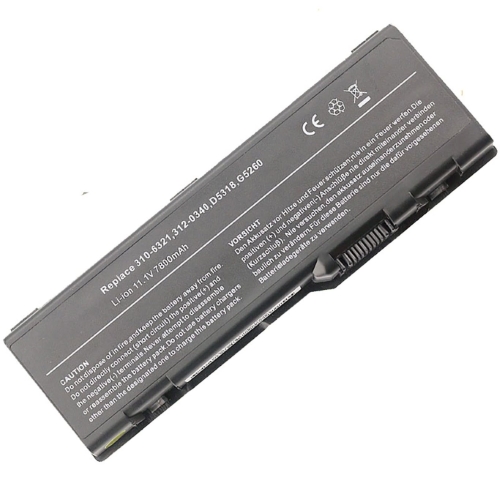
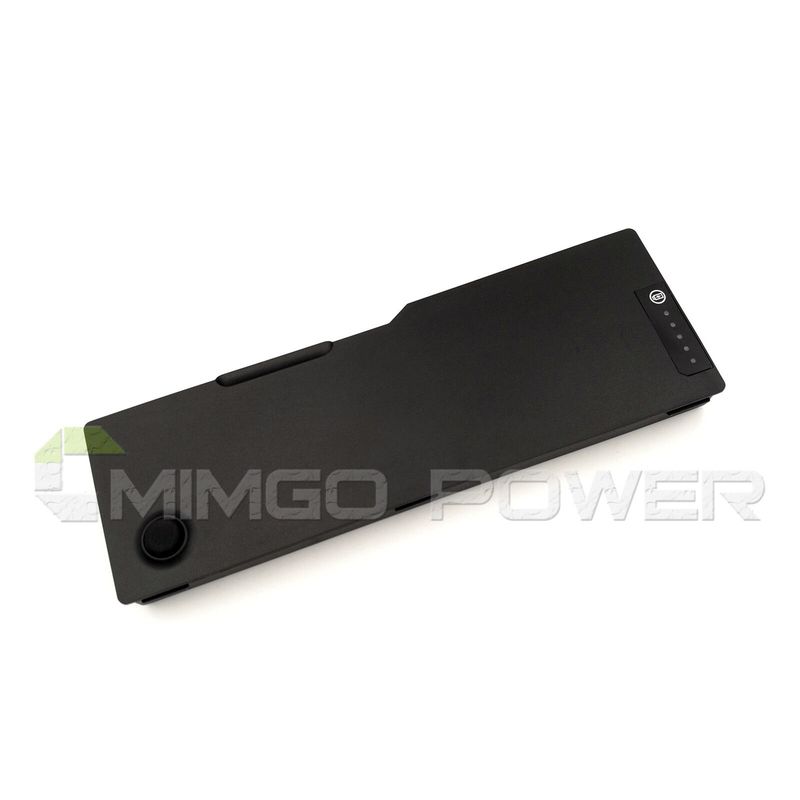
0C5449, 0C5454 ersatz Laptop Akku fuer Dell Inspiron 6000, Inspiron 9200, 9 zell...
€40,96


Zoom bei Mausbewegung, Bild dient nur als Referenz.
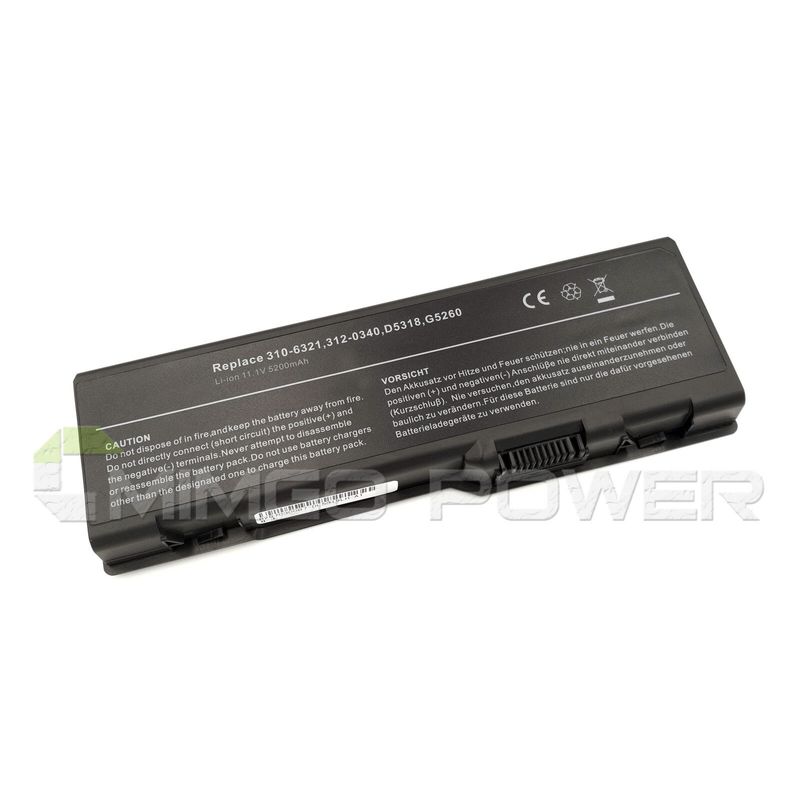
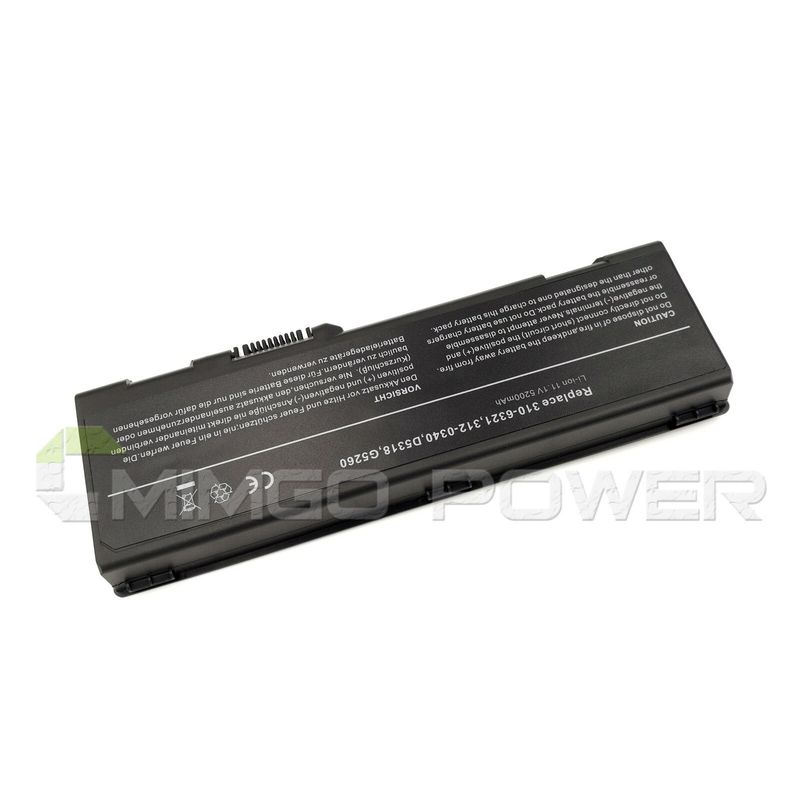
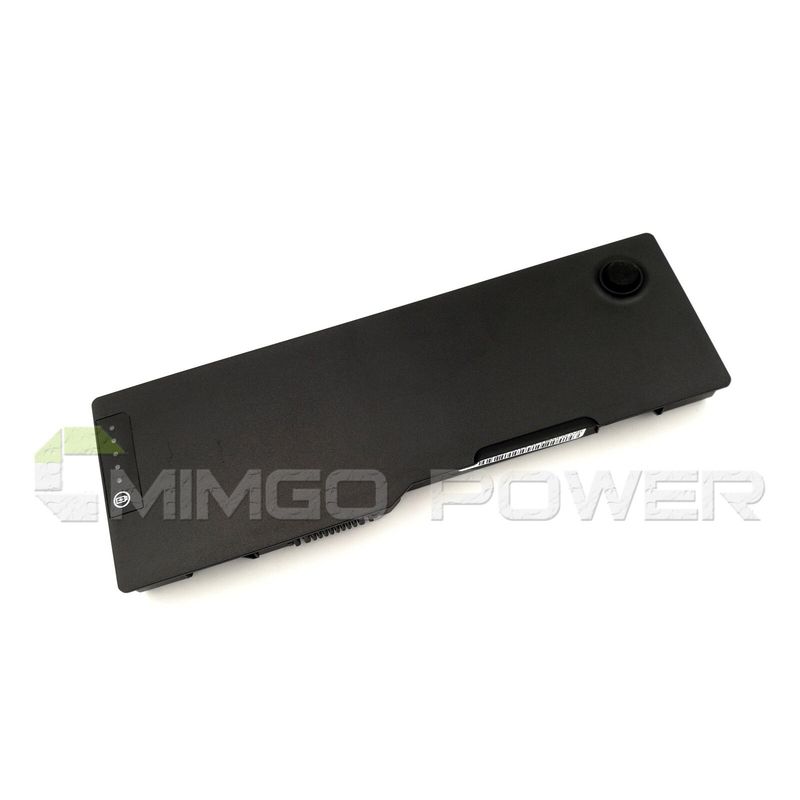


Technische Daten
Li-Ion-Laptop-Akkus mit 7,2 V und 7,4 V werden häufig verwendet.
Li-Ion-Laptop-Akkus mit 10,8 V und 11,1 V werden häufig verwendet.
Li-Ion-Laptop-Akkus mit 14,4 V und 14,8 V werden häufig verwendet.
7,2 V (= 7,4 V), 10,8 V (= 11,1 V), 14,4 V (= 14,8 V) Batterien haben unterschiedliche Spannungen und sind nicht kompatibel. Bitte wählen Sie die richtige Batterie (Spannung).
Mit diesem Akku erwerben Sie ein Qualitätsprodukt, welches ausschließlich mit hochwertigen Zellen namhafter Hersteller wie Samsung, Sanyo und Panasonic bestückt ist. Unsere Akkus werden nach den höchsten Qualitätsstandards hergestellt und zeichnen sich durch eine hohe Langlebigkeit aus. Des Weiteren besitzen unsere Akkus eine hohe Zyklenfestigkeit, welche eine hohe Anzahl an Lade- und Entladezyklen gewährleistet.
Merkmale unserer Akkus:
- problemloses Laden mit dem original oder baugleichen Ladegerät / Netzteil
- Überhitzungs-, Überlade- und Kurzschlussschutz wie im Originalakku
- kein Memoryeffekt durch Hochleistungszellen
- 100 % Passgenauigkeit zum Originalakku
- geringe Selbstentladung
Tips
Schauen Sie sich vor dem Kauf am besten unseren Akku aus den obigen Bildern an und prüfen Sie, ob er mit Ihrem Original übereinstimmt. Bitte stellen Sie sicher, dass Sie den richtigen Akku auswählen, um eine Fehlbestellung zu vermeiden.
Bitte bestätigen Sie, dass Ihr Maschinenmodell, die Spannung oder die Teilenummer in unserer Beschreibung kompatibel sind. Außerdem können Sie einen Vergleich zwischen Ihrer Originalbatterie und unserem Artikel anstellen. Bei gleichem Aussehen (insbesondere der Anschlussposition) und gleicher Batteriespannung ist dies kein Problem Zum Austausch mit Ihrer Maschine, solange Ihr Modell oder Ihre Teilenummer in unserer Beschreibung kompatibel ist.
 Produkthandbuch - Bedienungsanleitung
Kompatible DELL Teilenummer
Bitte verwenden Sie die Tastenkombination [Strg + F], um unten Teilenummern / Modellnummern schnell zu finden.
Kompatible DELL Laptop Modelle
Wenn Ihr Maschinenmodell hier nicht aufgeführt ist, kontaktieren Sie uns bitte vor dem Kauf!
Haftungsausschluss:
www.laptop-battery.net mit keinem der aufgeführten Originalhersteller verbunden. Alle eingetragenen Marken oder Modellnamen oben aufgeführt sind, als Identifikationsnummer nur zeigen Kompatibilität.
Versand


| Ort | Versandkosten | Voraussichtliche Lieferzeit |
|---|---|---|
| China | €0 | 15 - 18 Werktage |
Wenn Sie einen Rabatt erhalten möchten, können Sie sich gerne an uns wenden. [mehr...]
Zahlung
Wir akzeptieren Kreditkartenbezahlung durch PayPal Zahlungssystem. PayPal Zahlungssystem unterstützt Mastercard, Visa, Discover und eCheck.
Wir senden Bestellinformationen an Ihre E-Mail-Adresse, wenn Sie die Bestellung abschließen. Wenn Sie keine E-Mail erhalten, überprüfen Sie bitte Ihren E-Mail-SPAM-Ordner, oder Sie können Ihre Bestellinformationen mit Ihrer E-Mail-Adresse und Ihrem vollständigen Namen über den Link zur Auftragsverfolgung verfolgen.
Wenn Sie irgendeine Frage haben, kontaktieren Sie bitte zuerst unseren Kundendienst, wir werden unser Bestes tun, um es für Sie zu lösen, bitte öffnen Sie keinen Streit oder Anspruch auf PayPal ohne uns zu kontaktieren.
 |
Garantie & Rücksendungen
More return & warranty information, please click here [mehr...]
Unser Speicher

FAQ
Tip 1: You have to find your specific laptop model before ordering a correct battery. How to check your laptop model?
Step 1: Press Windows + R to open Run window.
Step 2: Input "msinfo32" in the empty box and
click OK to open System Information.
Step 3: Keep in the System Summary section, and you will
find the System Name item in the right pane.
Tip 2: Remove Battery from Laptop to find your laptop battery part number
Step 1: Switch off the laptop and unplug the power cable in case of electric shock
Step 2:
Remove the back panel with the screwdriver. You should to this with care avoiding any harm to the
laptop components.
Step 3: Disconnect the cable connected to the battery and then take out the
battery. After that, you can check the specifications of your battery
Tip3: How to check battery part number when I can not remove battery?
If your laptop has a built-in, non-removable battery or you don't have tools to remove battery, use one of the other methods explained on this page to find information about your battery. How to find the laptop battery specifications?
First of all, you need to assure the model of your laptop or the part number of your laptop battery. Then look for the battery you need at Laptop-Battery. Finally, you can check whether the battery you find is compatible with your laptop or not on the "Compatibility" table (for example, Lenovo ThinkPad P72). If you don't know how to find the right battery for your laptop, you can click "How to find one correct battery for my laptop?" for more details. Moreover, you can click the link "Contact Us" on the bottom of this page to ask us.
Normally we will send you the tracking number within 1-2 business days, you can track order through "Order Tracking" link from bottom of website page. If you have any questions please click here to contact us, our customer service center will respond within 24 hours.
mAh (Milliamperes) represents the amount of stored energy in your battery. 1000 Milliamperes = 1 Ampere. The more mAh capacity - the longer your battery will last. Several batteries from www.secure-battery.com have higher mAh ratings than your original battery brand. This does not mean that the battery is not the correct replacement, but rather it is a longer lasting battery. Voltage in a battery refers to the 'volume' of electricity that is delivered to your computer. The amount of energy that comes from your wall outlet is far in excess of what you need to operate the tiny circuits of a computer. Hence your power adapter contains a ''brick'' or bar like box that decreases the energy to a much lower voltage rating. Each computer manufacturer designs their computers for the appropriate voltage requirement. Your battery pack will then be engineered to match the voltage of the power AC adapter. Laptop battery packs are composed of several battery cells that are wired together in series. By combining the cells in this fashion, higher 'volumes' of energy can be delivered to your laptop computer. For laptop computers, each battery cell has a voltage rating of 3.6 & 3.7 volts. (3.6V & 3.7V are used interchangeably and refer to the same amount of voltage.), each battery cell has a capacity of 2000 ~ 2200mAh.
Cells Voltage/Cell Formula Nominal Voltage 1 cell 3.6V or 3.7V 1 cell x 3.6 or 3.7V 3.6V or 3.7V 2 cells 3.6V or 3.7V 2 cells x 3.6V or 3.7V 7.2V or 7.4V 3 cells 3.6V or 3.7V 3 cells x 3.6V or 3.7V 10.8V or 11.1V 4 cells 3.6V or 3.7V 4 cells x 3.6V or 3.7V 14.4V or 14.8VHow to calculate battery cells?
e.g. a laptop battery is 10.8V/4400mAh,
3 x 3.6V = 10.8V
2 x 2200mAh = 4400mAh
3 x 2 = 6 cell battery
e.g. a laptop battery is 10.8V/6600mAh,
3 x 3.6V = 10.8V
3 x 2200mAh = 6600mAh
3 x 3 = 9 cell battery
Watts measure the amount of energy a device uses. This is a rating that will be found on your monitor and laptop PC, - not your battery.
It is normal for notebook batteries to produce heat when they are being charged and also when you are running on battery power. As energy is transfered within your battery cells, heat is a natural byproduct.
Every device that is listed on our website is linked only with goods/products that are 100% compatible with that device.
If you are still unsure which product is the correct one please contact us and we will be glad to help you out.
Kompatible DELL Teilenummer
Bitte verwenden Sie die Tastenkombination [Strg + F], um unten Teilenummern / Modellnummern schnell zu finden.
Kompatible DELL Laptop Modelle
Wenn Ihr Maschinenmodell hier nicht aufgeführt ist, kontaktieren Sie uns bitte vor dem Kauf!
Haftungsausschluss:
www.laptop-battery.net mit keinem der aufgeführten Originalhersteller verbunden. Alle eingetragenen Marken oder Modellnamen oben aufgeführt sind, als Identifikationsnummer nur zeigen Kompatibilität.
Versand
| Ort | Versandkosten | Voraussichtliche Lieferzeit |
|---|---|---|
| China | €0 | 15 - 18 Werktage |
Wenn Sie einen Rabatt erhalten möchten, können Sie sich gerne an uns wenden. [mehr...]
Zahlung
Wir akzeptieren Kreditkartenbezahlung durch PayPal Zahlungssystem. PayPal Zahlungssystem unterstützt Mastercard, Visa, Discover und eCheck.
Wir senden Bestellinformationen an Ihre E-Mail-Adresse, wenn Sie die Bestellung abschließen. Wenn Sie keine E-Mail erhalten, überprüfen Sie bitte Ihren E-Mail-SPAM-Ordner, oder Sie können Ihre Bestellinformationen mit Ihrer E-Mail-Adresse und Ihrem vollständigen Namen über den Link zur Auftragsverfolgung verfolgen.
Wenn Sie irgendeine Frage haben, kontaktieren Sie bitte zuerst unseren Kundendienst, wir werden unser Bestes tun, um es für Sie zu lösen, bitte öffnen Sie keinen Streit oder Anspruch auf PayPal ohne uns zu kontaktieren.
|
Garantie & Rücksendungen
More return & warranty information, please click here [mehr...]
FAQ
Tip 1: You have to find your specific laptop model before ordering a correct battery. How to check your laptop model?
Step 1: Press Windows + R to open Run window.
Step 2: Input "msinfo32" in the empty box and
click OK to open System Information.
Step 3: Keep in the System Summary section, and you will
find the System Name item in the right pane.
Tip 2: Remove Battery from Laptop to find your laptop battery part number
Step 1: Switch off the laptop and unplug the power cable in case of electric shock
Step 2:
Remove the back panel with the screwdriver. You should to this with care avoiding any harm to the
laptop components.
Step 3: Disconnect the cable connected to the battery and then take out the
battery. After that, you can check the specifications of your battery
Tip3: How to check battery part number when I can not remove battery?
If your laptop has a built-in, non-removable battery or you don't have tools to remove battery, use one of the other methods explained on this page to find information about your battery. How to find the laptop battery specifications?
First of all, you need to assure the model of your laptop or the part number of your laptop battery. Then look for the battery you need at Laptop-Battery. Finally, you can check whether the battery you find is compatible with your laptop or not on the "Compatibility" table (for example, Lenovo ThinkPad P72). If you don't know how to find the right battery for your laptop, you can click "How to find one correct battery for my laptop?" for more details. Moreover, you can click the link "Contact Us" on the bottom of this page to ask us.
Normally we will send you the tracking number within 1-2 business days, you can track order through "Order Tracking" link from bottom of website page. If you have any questions please click here to contact us, our customer service center will respond within 24 hours.
mAh (Milliamperes) represents the amount of stored energy in your battery. 1000 Milliamperes = 1 Ampere. The more mAh capacity - the longer your battery will last. Several batteries from www.secure-battery.com have higher mAh ratings than your original battery brand. This does not mean that the battery is not the correct replacement, but rather it is a longer lasting battery. Voltage in a battery refers to the 'volume' of electricity that is delivered to your computer. The amount of energy that comes from your wall outlet is far in excess of what you need to operate the tiny circuits of a computer. Hence your power adapter contains a ''brick'' or bar like box that decreases the energy to a much lower voltage rating. Each computer manufacturer designs their computers for the appropriate voltage requirement. Your battery pack will then be engineered to match the voltage of the power AC adapter. Laptop battery packs are composed of several battery cells that are wired together in series. By combining the cells in this fashion, higher 'volumes' of energy can be delivered to your laptop computer. For laptop computers, each battery cell has a voltage rating of 3.6 & 3.7 volts. (3.6V & 3.7V are used interchangeably and refer to the same amount of voltage.), each battery cell has a capacity of 2000 ~ 2200mAh.
Cells Voltage/Cell Formula Nominal Voltage 1 cell 3.6V or 3.7V 1 cell x 3.6 or 3.7V 3.6V or 3.7V 2 cells 3.6V or 3.7V 2 cells x 3.6V or 3.7V 7.2V or 7.4V 3 cells 3.6V or 3.7V 3 cells x 3.6V or 3.7V 10.8V or 11.1V 4 cells 3.6V or 3.7V 4 cells x 3.6V or 3.7V 14.4V or 14.8VHow to calculate battery cells?
e.g. a laptop battery is 10.8V/4400mAh,
3 x 3.6V = 10.8V
2 x 2200mAh = 4400mAh
3 x 2 = 6 cell battery
e.g. a laptop battery is 10.8V/6600mAh,
3 x 3.6V = 10.8V
3 x 2200mAh = 6600mAh
3 x 3 = 9 cell battery
Watts measure the amount of energy a device uses. This is a rating that will be found on your monitor and laptop PC, - not your battery.
It is normal for notebook batteries to produce heat when they are being charged and also when you are running on battery power. As energy is transfered within your battery cells, heat is a natural byproduct.
Every device that is listed on our website is linked only with goods/products that are 100% compatible with that device.
If you are still unsure which product is the correct one please contact us and we will be glad to help you out.
More FAQ(s), please click here [more...]


© Laptop-Battery. Alle Rechte vorbehalten. Bestimmte Warenzeichen und Marken sind das Eigentum der jeweiligen Markeninhaber.
Die aufgeführten Markennamen und Modellbezeichnungen sind nur dazu gedacht, die Kompatibilität dieser Produkte mit verschiedenen Maschinen zu zeigen. www.laptop-battery.net ist nicht mit OEM-Marken verbunden. Alle Produkte auf dieser Website sind Generika, Aftermarket, Ersatzteile.